May 11, 2026
Implementing HubSpot for B2B: The Complete Guide for German Companies
Implementing HubSpot for B2B: The Complete Guide for German Companies

Launching HubSpot for B2B succeeds through structured data migration, automated lead scoring (MQL/SQL), optimized sales pipelines, and seamless integration of existing ERP and marketing systems.
Introduction
Launching HubSpot for B2B means more than just installing a new tool – it is the implementation of an all-in-one CRM system that unites marketing, sales, and service for B2B companies and serves as the central data source for all customer interactions. The effective rollout of HubSpot in a B2B company requires a structured process that goes beyond purely technical setup.
This guide covers the complete rollout process – from strategic planning to practical implementation – specifically for B2B companies in the DACH region. You won't find superficial tips here, but concrete steps for scale-ups and SMEs with existing customers that want to systematize their growth. Topics such as detailed HubSpot pricing or advanced enterprise configurations are outside the scope.
Why is this topic so important now? B2B buyers already make 60–70 % of their purchasing decision before they even contact sales. More than 80 % of deals go to providers already on the internal shortlist – created without any personal interaction. Without structured lead capture and systematic follow-up, you lose potential customers before you even know they exist.
What you will take away from this article:
Systematic implementation of HubSpot for B2B with concrete phases and timelines
Lead scoring models that separate Marketing-Qualified Leads from Sales-Qualified Leads
ROI measurability through clearly defined KPIs and reporting structures
Process optimization for marketing, sales, and customer service in one system
Scalable lead generation through marketing automation and integration

Understanding HubSpot for B2B
HubSpot is an all-in-one platform that enables companies to manage all marketing, sales, and service activities in a single portal, increasing efficiency and transparency. In the B2B context, this means you have a central data source for all contacts, companies, and activities that are automatically documented and improve collaboration between teams.
Why do B2B companies need a specialized CRM system like HubSpot? The answer lies in the complexity of the B2B sales process. While B2C customers often buy spontaneously, B2B leads go through longer sales cycles with an average decision process of 10.1 months. Structured lead management in B2B is crucial because it requires many touchpoints, individual consulting, and targeted follow-up to keep track of leads and ensure that no lead gets lost.
B2B vs. B2C differences in HubSpot
In the B2B space, you don't work with individual consumers, but with buying committees of 8–12 people from different functions – budget holders, technical decision-makers, end users. That requires fundamentally different approaches:
Lead scoring separates Marketing-Qualified Leads (MQLs) from Sales-Qualified Leads (SQLs) and is important for sales effectiveness. You need longer lead-nurturing campaigns that guide potential customers through the different phases of their buying decision. Account-based marketing enables targeted outreach to target companies instead of mass communication and forms an important building block of a systematic B2B new customer acquisition.
The reporting requirements are more complex: You must track pipeline value, deal stages, and revenue attribution over longer periods. Using a B2B CRM system can increase closing rates by up to 18 percent by enabling transparent and efficient management of sales processes and putting structured pipeline management instead of isolated lead viewing at the forefront.
The HubSpot Hubs for B2B
HubSpot offers several specialized Hubs that work together in the B2B context:
Marketing Hub focuses on lead generation, content marketing, and marketing automation. Using HubSpot can significantly improve lead generation and lead nurturing by implementing automated processes that guide potential customers through the various phases of their buying decision. Here you create marketing campaigns, landing pages, and email workflows.
Sales Hub covers pipeline management, deal tracking, and sales automation. Sales reps see all relevant information at a glance: past interactions, emails, meetings, and the current deal stage. Clearly defined deal stages reflect the buyer's progress, e.g. through clear nomenclature.
Service Hub enables structured customer service with ticket management and knowledge bases. For B2B companies, this is especially relevant because customer relationships are maintained over the long term and after-sales support often runs for years.
The connection between the Hubs creates a seamless customer journey: A lead gained through content marketing is automatically handed over to sales when it reaches certain scoring thresholds. After the deal is closed, service takes over the support – all in one system with a complete history.
Strategic planning of the HubSpot implementation
Implementing HubSpot in the B2B space is a strategic realignment of market engagement. Implementing HubSpot requires a clear definition of the goals and needs of the marketing, sales, and customer service teams in order to choose the right CRM solution. Without careful preparation, you risk the system not being adopted or its potential remaining unused.
Current-state analysis and requirements gathering
Before you introduce HubSpot, you need a clear picture of your current situation. Which tools do you use today for CRM, marketing automation, and analytics? How well are they integrated? Fragmented systems lead to duplicate data maintenance and inconsistent information.
Identify the specific pain points: Are you missing lead attribution, i.e. the knowledge of which channel drove which deal? Do your sales reps spend too much time on manual processes instead of sales conversations? Are you losing B2B leads because no one has an overview of all touchpoints?
Mapping the customer journey is essential: What touchpoints does a typical customer have with your company – website, email, phone, social media, trade fairs? An effective HubSpot setup should ensure that the CRM can be integrated into existing operational processes to ensure smooth use.
Also check the data quality: How many contacts have incomplete profile fields such as missing industry, employee count or position? How many duplicates exist? Without clean data, lead scoring doesn't work, and attribution becomes a matter of luck.
Goal definition and KPI setting
Define revenue-oriented goals instead of vanity metrics. Clicks and website visits are informative, but not business-critical. Focus on KPIs that have a direct impact on your revenue:
Customer Acquisition Cost (CAC): What does a new customer actually cost you?
Lead-to-Customer Rate: How many leads become paying customers?
Sales Cycle Length: How long does the average sales process take?
MQL-to-SQL Conversion: How many Marketing-Qualified Leads qualify for sales?
Revenue per Lead: What revenue does an average lead generate?
The timeline for initial results is typically 90–180 days. In the first three months you focus on setup and quick wins such as automated emails or improved lead capture. Substantial ROI increases usually appear after six months.
HubSpot prices vary depending on the hub and license model. Starter plans begin at around 9 euros per seat per month, Professional licenses are in the range of 800+ euros monthly, Enterprise versions cost several thousand euros depending on seat count and marketing contact volume. Also plan for onboarding fees, which can range between 1,400 and 7,000+ euros.
Team preparation and change management
Effective use of HubSpot requires clear alignment between marketing and sales. Create a training plan for all involved teams: Marketing must understand workflows and campaigns, sales needs competence in pipeline management, service must master tickets and the knowledge base.
The HubSpot Academy offers extensive training and resources that enable users to learn the platform quickly and use it effectively, making implementation and usage easier. Use these free courses as the basis for your onboarding.
Appoint HubSpot champions in each team – people who serve as the first point of contact for questions and spread best practices. These champions should be involved early in the implementation process.
Define clear data-quality standards: Which fields must be filled in for every contact? Who is responsible for data maintenance? Plan the migration of existing contacts and data carefully – deduplication and cleanup before import are crucial.

Practical HubSpot implementation step by step
Implementation should begin with a setup kickoff to define processes and lifecycle stages. A systematic approach in clearly defined phases ensures smooth implementation and quick early successes.
Phase 1: Basic setup and data migration (weeks 1–2)
Set up your HubSpot account and create users with the appropriate permissions. Define teams and hierarchies that reflect your organizational structure.
Creating a central data source is crucial to document all interactions automatically. Import contact and company data from existing systems. Clean before import: remove obvious duplicates, standardize formats for date fields and country codes, and fill in critical fields.
Create custom properties for B2B-specific fields. Define the Ideal Customer Profile (ICP): define specific criteria such as revenue, industry, and employee count. These fields will later be needed for lead scoring and segmentation.
Configure sales pipelines according to your real B2B sales process. Typical stages could be: initial qualification, demo scheduled, offer created, negotiation, won/lost. Each stage should have clear criteria for when a deal belongs there.
Phase 2: Marketing automation setup (weeks 3–4)
Marketing automation enables B2B companies to optimize their marketing processes by targeting and managing leads in a focused and personalized way. Automating marketing processes is especially beneficial for companies with limited resources because it saves time and costs while increasing efficiency.
Build a lead-scoring model that considers two dimensions: Fit (firmographics such as industry, company size, role) and Engagement (behavior such as page views, downloads, demo requests), so you can clearly distinguish between Marketing-Qualified and Sales-Qualified Leads. The balance could be 60 % engagement and 40 % fit – depending on your sales capacity.
For B2B, automating lead nurturing is crucial and should be embedded in an overarching lead system and funnel strategy. Create email workflows for different stages of the buyer journey: awareness content for new contacts, comparison content for the research phase, case studies for evaluation. By using marketing automation, B2B companies can better segment their leads and provide personalized content, which increases conversion rates.
Set up landing pages and forms for content offers – whitepapers, webinars, demos – and connect them to clear inbound marketing strategies for B2B, instead of running isolated initiatives. Each form should ask only for the minimum necessary fields so as not to jeopardize conversion, but still provide enough information for scoring and segmentation.
Implement marketing attribution and conversion tracking. High-quality integrations, e.g. with LinkedIn Ads and Google Ads, are required for seamless workflows. Without this integration, you won't know which channel actually generates pipeline.
Phase 3: Sales process optimization (weeks 5–6)
Using HubSpot can increase efficiency in B2B sales by centrally capturing all contacts, companies, and activities, which improves collaboration between teams. The use of a B2B CRM enables a company's sales teams to optimize the lead generation process through automation features and make the lead-nurturing process smoother, provided the systemic causes of missing leads are addressed.
Create sales sequences for different lead types: A sequence for warm inbound leads with demo interest differs from one for cold outbound contacts. Configure email templates and meeting booking tools to make your sales reps' day-to-day work easier.
Adjust deal stages and probabilities to real closing rates. If historically only 30 % of deals in stage “Offer created” are won, the probability should not be 80 %. Realistic forecasts are the foundation for sensible pipeline planning.
Set up reporting dashboards for different stakeholders: sales managers need pipeline overviews and activity tracking, marketing needs attribution reports and lead-quality data, management wants to see revenue metrics and trends.
Integration and testing
HubSpot enables easy integration with other applications and platforms, making it easier to use existing software and automate processes, especially if you use profitably scaling Google Ads campaigns for lead generation.
Integration | Purpose | Priority |
|---|---|---|
ERP system (SAP, Dynamics) | Synchronize order and invoicing data | High for larger companies |
Google Ads / LinkedIn Ads | Attribution and campaign tracking | High for performance marketing |
Email provider | Email tracking and synchronization | High |
Calendar (Google, Outlook) | Meeting booking and appointments | Medium |
Analytics tools | Expand website tracking | Medium |
Telephony system | Call logging | Low to Medium |
Use tools like ERP Bridge or APPSeCONNECT for bi-directional real-time synchronization of deals, contacts and order data or work with a HubSpot Solutions Partner that turns your CRM into a revenue engine. That makes the difference between fragmented systems and a connected revenue engine.
Testing checklist before go-live:
All forms send data to HubSpot correctly
Lead scoring works and assigns scores correctly
Workflows trigger under the right conditions
Sales receives notifications for qualified leads
Integrations synchronize data in both directions
Dashboards show valid data
Common challenges and solutions
Every HubSpot implementation in the B2B space comes with typical stumbling blocks. Here are proven practical solutions.
Data quality and migration
Problem: Duplicate contacts, inconsistent data formats, missing required fields. This leads to faulty lead scoring, incorrect reports, and frustrated users.
Solution: Define data standards before import. Perform deduplication in your legacy system before migrating. Standardize fields such as countries (DE vs. Germany vs. Germany), phone numbers, and date formats. Use HubSpot workflows for continuous data maintenance: automatic formatting, duplicate detection, cleanup of inactive contacts.
A B2B CRM enables all information and all communication related to a customer's company base to be recorded centrally, improving collaboration between teams – but only if the data is accurate.
User adoption and training
Problem: Teams keep using old tools, HubSpot is used half-heartedly or incompletely. Sales does not log activities, marketing ignores feedback on lead quality.
Solution: Structured onboarding is mandatory. Use HubSpot Academy courses as a base, supplement with company-specific training or work with a certified HubSpot Solutions Partner agency that supports your team. Plan regular review meetings in which usage and results are discussed.
Demonstrate quick wins early: Show how automated emails save time, how lead notifications accelerate deals, how a CRM system in B2B sales helps keep track of the different touchpoints and communication with leads. Success motivates further use.
Complexity and overwhelm
Problem: Too many features activated at once, overly complicated workflows built, users overwhelmed.
Solution: Phased implementation instead of a big bang. Start with basic features: contact management, simple email sequences, basic pipelines. Expand gradually with automation, lead scoring, advanced reporting.
Focus on measurable business outcomes instead of feature completeness and think in terms of an external B2B growth partner as a revenue engine, not a classic campaign agency. Also take into account that AI-powered search is fundamentally changing B2B marketing and SEO strategy. Not every HubSpot feature is relevant for every company. A simple, used system beats a complex, ignored one.
Measuring success and optimization
The key KPIs for HubSpot success in B2B differ fundamentally from typical marketing metrics. Focus on:
MQL-to-SQL Rate: How many marketing-qualified leads are accepted by sales? A rate below 30 % indicates problems in lead scoring or a lack of alignment between marketing and sales.
Customer Acquisition Cost: What does a new customer cost you across all channels? HubSpot enables cross-channel attribution for the first time – use it.
Revenue Attribution: Which marketing activities actually lead to revenue? Not just to the first click, but to the entire customer journey.
Build different reporting views for different stakeholders: Marketing needs campaign performance and lead quality, sales wants pipeline and activities, management focuses on revenue and trends.
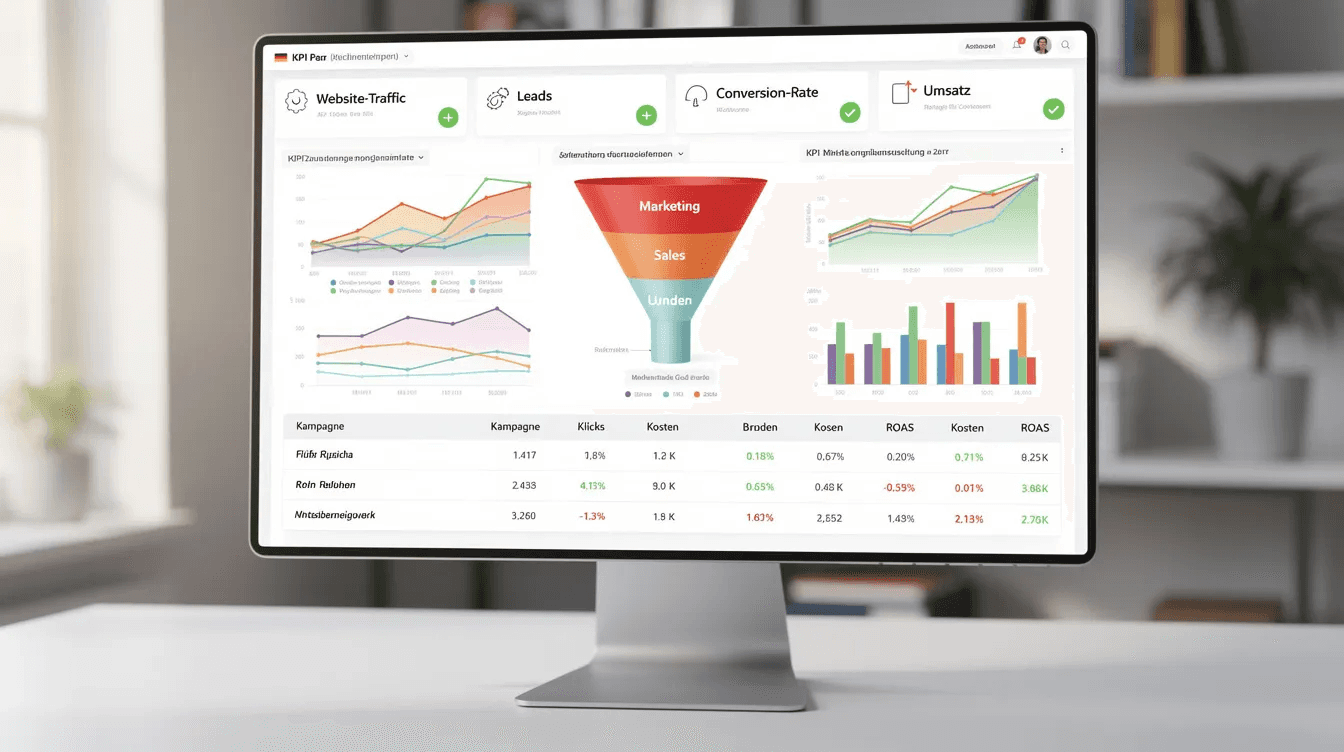
Continuous optimization is based on data: Review lead-scoring thresholds quarterly, analyze conversion rates by stage, identify bottlenecks in the pipeline. If A-grade leads account for more than 10 % of your volume, your criteria are probably set too low.
When additional Hubs or Professional/Enterprise features make sense: If you actively handle more than 2,000 marketing contacts, if you need complex automations, if advanced reporting becomes necessary for forecasting, or if custom objects are required for your business model.
Conclusion and next steps
HubSpot implementation in B2B is an investment in structured revenue growth, not just tool implementation. The platform becomes the operational backbone where visibility, demand generation, and conversion infrastructure come together. Implemented correctly, HubSpot creates the central data source for all customer interactions and enables real attribution and pipeline transparency for the first time.
Immediate next steps:
Start a current-state analysis: Which tools do you use today, how well are data integrated, which processes are manual?
Test the free HubSpot version to get to know the interface and core functions
Plan team training via HubSpot Academy – these are free and high quality
Define your Ideal Customer Profile with concrete criteria
Create an initial draft of lead-scoring criteria based on your best customers
When partner support makes sense: For complex ERP integrations, large data volumes over 10,000 contacts, special B2B requirements such as custom objects, or when internal resources for structured implementation are lacking. Agencies like iGrow as a B2B growth partner position themselves as a growth layer above HubSpot: They don't just structure the tool, but the entire growth architecture – from SEO structure via AI Search Visibility and a GEO Visibility Audit for AI search results to the conversion infrastructure.
Related topics for the next step: Revenue Operations setup for cross-channel attribution, AI Search Optimization so that AI platforms like ChatGPT and Perplexity recommend your company, generate B2B leads via Google, a GEO agency that positions your brand as the #1 source in ChatGPT & Perplexity and Google Ads integration with HubSpot for complete performance attribution.
Additional resources
HubSpot Academy courses for B2B:
Inbound Marketing Certification
HubSpot Sales Software Certification
Revenue Operations Certification
Implementation checklist (simplified):
[ ] Current-state analysis and tool audit completed
[ ] KPIs and goals defined
[ ] ICP criteria documented
[ ] Data cleaning before migration
[ ] Team champions appointed
[ ] Training plan created
[ ] Lead scoring model drafted
[ ] Integrations identified
Integration guide for common B2B tools and how they contribute to strategic website lead generation with SEO, ads and personal branding:
ERP systems: ERP Bridge, APPSeCONNECT for SAP, Microsoft Dynamics
Ads platforms: Native HubSpot integration for Google Ads, LinkedIn Ads – especially relevant with the new Google AI Overviews and their influence on search behavior in the DACH region
Analytics: Google Analytics 4 via HubSpot tracking code
Telephony: Integration via the HubSpot App Marketplace as well as LinkedIn personal branding as an additional lead channel, which should work directly with your CRM
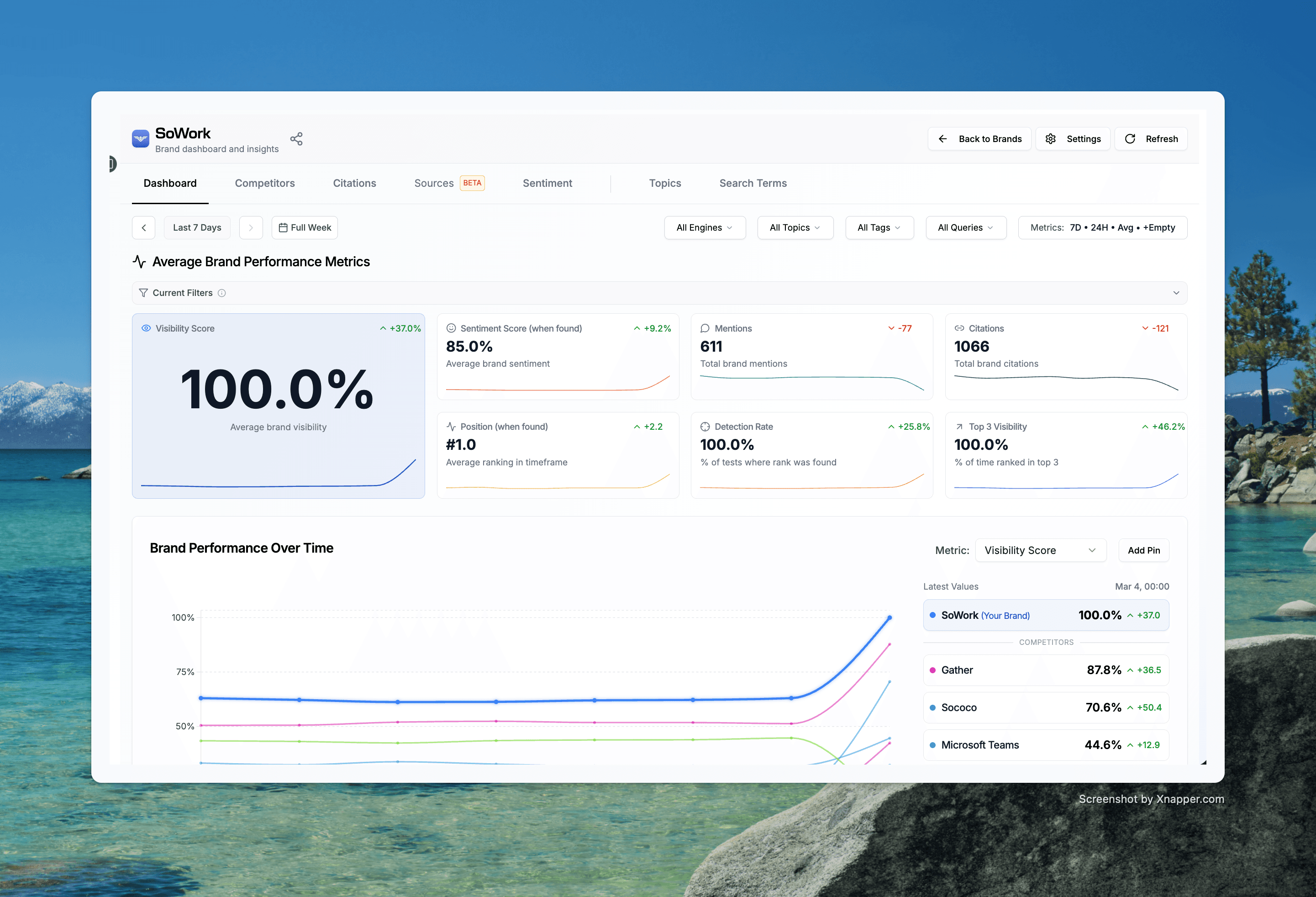
Case studies from the DACH region: From 16% AI visibility to 100% in 90 days, as well as over 340 conversions (qualified leads generated). In addition, strategic SEO optimization & GEO optimization by a specialized agency helps ensure that such successes can be repeated through organic channels.
P.S.: Let's talk without obligation. In our Smart-Growth-Call we give you three concrete growth levers, no pitch, no sales presentation!
Launching HubSpot for B2B succeeds through structured data migration, automated lead scoring (MQL/SQL), optimized sales pipelines, and seamless integration of existing ERP and marketing systems.
Introduction
Launching HubSpot for B2B means more than just installing a new tool – it is the implementation of an all-in-one CRM system that unites marketing, sales, and service for B2B companies and serves as the central data source for all customer interactions. The effective rollout of HubSpot in a B2B company requires a structured process that goes beyond purely technical setup.
This guide covers the complete rollout process – from strategic planning to practical implementation – specifically for B2B companies in the DACH region. You won't find superficial tips here, but concrete steps for scale-ups and SMEs with existing customers that want to systematize their growth. Topics such as detailed HubSpot pricing or advanced enterprise configurations are outside the scope.
Why is this topic so important now? B2B buyers already make 60–70 % of their purchasing decision before they even contact sales. More than 80 % of deals go to providers already on the internal shortlist – created without any personal interaction. Without structured lead capture and systematic follow-up, you lose potential customers before you even know they exist.
What you will take away from this article:
Systematic implementation of HubSpot for B2B with concrete phases and timelines
Lead scoring models that separate Marketing-Qualified Leads from Sales-Qualified Leads
ROI measurability through clearly defined KPIs and reporting structures
Process optimization for marketing, sales, and customer service in one system
Scalable lead generation through marketing automation and integration
Understanding HubSpot for B2B
HubSpot is an all-in-one platform that enables companies to manage all marketing, sales, and service activities in a single portal, increasing efficiency and transparency. In the B2B context, this means you have a central data source for all contacts, companies, and activities that are automatically documented and improve collaboration between teams.
Why do B2B companies need a specialized CRM system like HubSpot? The answer lies in the complexity of the B2B sales process. While B2C customers often buy spontaneously, B2B leads go through longer sales cycles with an average decision process of 10.1 months. Structured lead management in B2B is crucial because it requires many touchpoints, individual consulting, and targeted follow-up to keep track of leads and ensure that no lead gets lost.
B2B vs. B2C differences in HubSpot
In the B2B space, you don't work with individual consumers, but with buying committees of 8–12 people from different functions – budget holders, technical decision-makers, end users. That requires fundamentally different approaches:
Lead scoring separates Marketing-Qualified Leads (MQLs) from Sales-Qualified Leads (SQLs) and is important for sales effectiveness. You need longer lead-nurturing campaigns that guide potential customers through the different phases of their buying decision. Account-based marketing enables targeted outreach to target companies instead of mass communication and forms an important building block of a systematic B2B new customer acquisition.
The reporting requirements are more complex: You must track pipeline value, deal stages, and revenue attribution over longer periods. Using a B2B CRM system can increase closing rates by up to 18 percent by enabling transparent and efficient management of sales processes and putting structured pipeline management instead of isolated lead viewing at the forefront.
The HubSpot Hubs for B2B
HubSpot offers several specialized Hubs that work together in the B2B context:
Marketing Hub focuses on lead generation, content marketing, and marketing automation. Using HubSpot can significantly improve lead generation and lead nurturing by implementing automated processes that guide potential customers through the various phases of their buying decision. Here you create marketing campaigns, landing pages, and email workflows.
Sales Hub covers pipeline management, deal tracking, and sales automation. Sales reps see all relevant information at a glance: past interactions, emails, meetings, and the current deal stage. Clearly defined deal stages reflect the buyer's progress, e.g. through clear nomenclature.
Service Hub enables structured customer service with ticket management and knowledge bases. For B2B companies, this is especially relevant because customer relationships are maintained over the long term and after-sales support often runs for years.
The connection between the Hubs creates a seamless customer journey: A lead gained through content marketing is automatically handed over to sales when it reaches certain scoring thresholds. After the deal is closed, service takes over the support – all in one system with a complete history.
Strategic planning of the HubSpot implementation
Implementing HubSpot in the B2B space is a strategic realignment of market engagement. Implementing HubSpot requires a clear definition of the goals and needs of the marketing, sales, and customer service teams in order to choose the right CRM solution. Without careful preparation, you risk the system not being adopted or its potential remaining unused.
Current-state analysis and requirements gathering
Before you introduce HubSpot, you need a clear picture of your current situation. Which tools do you use today for CRM, marketing automation, and analytics? How well are they integrated? Fragmented systems lead to duplicate data maintenance and inconsistent information.
Identify the specific pain points: Are you missing lead attribution, i.e. the knowledge of which channel drove which deal? Do your sales reps spend too much time on manual processes instead of sales conversations? Are you losing B2B leads because no one has an overview of all touchpoints?
Mapping the customer journey is essential: What touchpoints does a typical customer have with your company – website, email, phone, social media, trade fairs? An effective HubSpot setup should ensure that the CRM can be integrated into existing operational processes to ensure smooth use.
Also check the data quality: How many contacts have incomplete profile fields such as missing industry, employee count or position? How many duplicates exist? Without clean data, lead scoring doesn't work, and attribution becomes a matter of luck.
Goal definition and KPI setting
Define revenue-oriented goals instead of vanity metrics. Clicks and website visits are informative, but not business-critical. Focus on KPIs that have a direct impact on your revenue:
Customer Acquisition Cost (CAC): What does a new customer actually cost you?
Lead-to-Customer Rate: How many leads become paying customers?
Sales Cycle Length: How long does the average sales process take?
MQL-to-SQL Conversion: How many Marketing-Qualified Leads qualify for sales?
Revenue per Lead: What revenue does an average lead generate?
The timeline for initial results is typically 90–180 days. In the first three months you focus on setup and quick wins such as automated emails or improved lead capture. Substantial ROI increases usually appear after six months.
HubSpot prices vary depending on the hub and license model. Starter plans begin at around 9 euros per seat per month, Professional licenses are in the range of 800+ euros monthly, Enterprise versions cost several thousand euros depending on seat count and marketing contact volume. Also plan for onboarding fees, which can range between 1,400 and 7,000+ euros.
Team preparation and change management
Effective use of HubSpot requires clear alignment between marketing and sales. Create a training plan for all involved teams: Marketing must understand workflows and campaigns, sales needs competence in pipeline management, service must master tickets and the knowledge base.
The HubSpot Academy offers extensive training and resources that enable users to learn the platform quickly and use it effectively, making implementation and usage easier. Use these free courses as the basis for your onboarding.
Appoint HubSpot champions in each team – people who serve as the first point of contact for questions and spread best practices. These champions should be involved early in the implementation process.
Define clear data-quality standards: Which fields must be filled in for every contact? Who is responsible for data maintenance? Plan the migration of existing contacts and data carefully – deduplication and cleanup before import are crucial.
Practical HubSpot implementation step by step
Implementation should begin with a setup kickoff to define processes and lifecycle stages. A systematic approach in clearly defined phases ensures smooth implementation and quick early successes.
Phase 1: Basic setup and data migration (weeks 1–2)
Set up your HubSpot account and create users with the appropriate permissions. Define teams and hierarchies that reflect your organizational structure.
Creating a central data source is crucial to document all interactions automatically. Import contact and company data from existing systems. Clean before import: remove obvious duplicates, standardize formats for date fields and country codes, and fill in critical fields.
Create custom properties for B2B-specific fields. Define the Ideal Customer Profile (ICP): define specific criteria such as revenue, industry, and employee count. These fields will later be needed for lead scoring and segmentation.
Configure sales pipelines according to your real B2B sales process. Typical stages could be: initial qualification, demo scheduled, offer created, negotiation, won/lost. Each stage should have clear criteria for when a deal belongs there.
Phase 2: Marketing automation setup (weeks 3–4)
Marketing automation enables B2B companies to optimize their marketing processes by targeting and managing leads in a focused and personalized way. Automating marketing processes is especially beneficial for companies with limited resources because it saves time and costs while increasing efficiency.
Build a lead-scoring model that considers two dimensions: Fit (firmographics such as industry, company size, role) and Engagement (behavior such as page views, downloads, demo requests), so you can clearly distinguish between Marketing-Qualified and Sales-Qualified Leads. The balance could be 60 % engagement and 40 % fit – depending on your sales capacity.
For B2B, automating lead nurturing is crucial and should be embedded in an overarching lead system and funnel strategy. Create email workflows for different stages of the buyer journey: awareness content for new contacts, comparison content for the research phase, case studies for evaluation. By using marketing automation, B2B companies can better segment their leads and provide personalized content, which increases conversion rates.
Set up landing pages and forms for content offers – whitepapers, webinars, demos – and connect them to clear inbound marketing strategies for B2B, instead of running isolated initiatives. Each form should ask only for the minimum necessary fields so as not to jeopardize conversion, but still provide enough information for scoring and segmentation.
Implement marketing attribution and conversion tracking. High-quality integrations, e.g. with LinkedIn Ads and Google Ads, are required for seamless workflows. Without this integration, you won't know which channel actually generates pipeline.
Phase 3: Sales process optimization (weeks 5–6)
Using HubSpot can increase efficiency in B2B sales by centrally capturing all contacts, companies, and activities, which improves collaboration between teams. The use of a B2B CRM enables a company's sales teams to optimize the lead generation process through automation features and make the lead-nurturing process smoother, provided the systemic causes of missing leads are addressed.
Create sales sequences for different lead types: A sequence for warm inbound leads with demo interest differs from one for cold outbound contacts. Configure email templates and meeting booking tools to make your sales reps' day-to-day work easier.
Adjust deal stages and probabilities to real closing rates. If historically only 30 % of deals in stage “Offer created” are won, the probability should not be 80 %. Realistic forecasts are the foundation for sensible pipeline planning.
Set up reporting dashboards for different stakeholders: sales managers need pipeline overviews and activity tracking, marketing needs attribution reports and lead-quality data, management wants to see revenue metrics and trends.
Integration and testing
HubSpot enables easy integration with other applications and platforms, making it easier to use existing software and automate processes, especially if you use profitably scaling Google Ads campaigns for lead generation.
Integration | Purpose | Priority |
|---|---|---|
ERP system (SAP, Dynamics) | Synchronize order and invoicing data | High for larger companies |
Google Ads / LinkedIn Ads | Attribution and campaign tracking | High for performance marketing |
Email provider | Email tracking and synchronization | High |
Calendar (Google, Outlook) | Meeting booking and appointments | Medium |
Analytics tools | Expand website tracking | Medium |
Telephony system | Call logging | Low to Medium |
Use tools like ERP Bridge or APPSeCONNECT for bi-directional real-time synchronization of deals, contacts and order data or work with a HubSpot Solutions Partner that turns your CRM into a revenue engine. That makes the difference between fragmented systems and a connected revenue engine.
Testing checklist before go-live:
All forms send data to HubSpot correctly
Lead scoring works and assigns scores correctly
Workflows trigger under the right conditions
Sales receives notifications for qualified leads
Integrations synchronize data in both directions
Dashboards show valid data
Common challenges and solutions
Every HubSpot implementation in the B2B space comes with typical stumbling blocks. Here are proven practical solutions.
Data quality and migration
Problem: Duplicate contacts, inconsistent data formats, missing required fields. This leads to faulty lead scoring, incorrect reports, and frustrated users.
Solution: Define data standards before import. Perform deduplication in your legacy system before migrating. Standardize fields such as countries (DE vs. Germany vs. Germany), phone numbers, and date formats. Use HubSpot workflows for continuous data maintenance: automatic formatting, duplicate detection, cleanup of inactive contacts.
A B2B CRM enables all information and all communication related to a customer's company base to be recorded centrally, improving collaboration between teams – but only if the data is accurate.
User adoption and training
Problem: Teams keep using old tools, HubSpot is used half-heartedly or incompletely. Sales does not log activities, marketing ignores feedback on lead quality.
Solution: Structured onboarding is mandatory. Use HubSpot Academy courses as a base, supplement with company-specific training or work with a certified HubSpot Solutions Partner agency that supports your team. Plan regular review meetings in which usage and results are discussed.
Demonstrate quick wins early: Show how automated emails save time, how lead notifications accelerate deals, how a CRM system in B2B sales helps keep track of the different touchpoints and communication with leads. Success motivates further use.
Complexity and overwhelm
Problem: Too many features activated at once, overly complicated workflows built, users overwhelmed.
Solution: Phased implementation instead of a big bang. Start with basic features: contact management, simple email sequences, basic pipelines. Expand gradually with automation, lead scoring, advanced reporting.
Focus on measurable business outcomes instead of feature completeness and think in terms of an external B2B growth partner as a revenue engine, not a classic campaign agency. Also take into account that AI-powered search is fundamentally changing B2B marketing and SEO strategy. Not every HubSpot feature is relevant for every company. A simple, used system beats a complex, ignored one.
Measuring success and optimization
The key KPIs for HubSpot success in B2B differ fundamentally from typical marketing metrics. Focus on:
MQL-to-SQL Rate: How many marketing-qualified leads are accepted by sales? A rate below 30 % indicates problems in lead scoring or a lack of alignment between marketing and sales.
Customer Acquisition Cost: What does a new customer cost you across all channels? HubSpot enables cross-channel attribution for the first time – use it.
Revenue Attribution: Which marketing activities actually lead to revenue? Not just to the first click, but to the entire customer journey.
Build different reporting views for different stakeholders: Marketing needs campaign performance and lead quality, sales wants pipeline and activities, management focuses on revenue and trends.
Continuous optimization is based on data: Review lead-scoring thresholds quarterly, analyze conversion rates by stage, identify bottlenecks in the pipeline. If A-grade leads account for more than 10 % of your volume, your criteria are probably set too low.
When additional Hubs or Professional/Enterprise features make sense: If you actively handle more than 2,000 marketing contacts, if you need complex automations, if advanced reporting becomes necessary for forecasting, or if custom objects are required for your business model.
Conclusion and next steps
HubSpot implementation in B2B is an investment in structured revenue growth, not just tool implementation. The platform becomes the operational backbone where visibility, demand generation, and conversion infrastructure come together. Implemented correctly, HubSpot creates the central data source for all customer interactions and enables real attribution and pipeline transparency for the first time.
Immediate next steps:
Start a current-state analysis: Which tools do you use today, how well are data integrated, which processes are manual?
Test the free HubSpot version to get to know the interface and core functions
Plan team training via HubSpot Academy – these are free and high quality
Define your Ideal Customer Profile with concrete criteria
Create an initial draft of lead-scoring criteria based on your best customers
When partner support makes sense: For complex ERP integrations, large data volumes over 10,000 contacts, special B2B requirements such as custom objects, or when internal resources for structured implementation are lacking. Agencies like iGrow as a B2B growth partner position themselves as a growth layer above HubSpot: They don't just structure the tool, but the entire growth architecture – from SEO structure via AI Search Visibility and a GEO Visibility Audit for AI search results to the conversion infrastructure.
Related topics for the next step: Revenue Operations setup for cross-channel attribution, AI Search Optimization so that AI platforms like ChatGPT and Perplexity recommend your company, generate B2B leads via Google, a GEO agency that positions your brand as the #1 source in ChatGPT & Perplexity and Google Ads integration with HubSpot for complete performance attribution.
Additional resources
HubSpot Academy courses for B2B:
Inbound Marketing Certification
HubSpot Sales Software Certification
Revenue Operations Certification
Implementation checklist (simplified):
[ ] Current-state analysis and tool audit completed
[ ] KPIs and goals defined
[ ] ICP criteria documented
[ ] Data cleaning before migration
[ ] Team champions appointed
[ ] Training plan created
[ ] Lead scoring model drafted
[ ] Integrations identified
Integration guide for common B2B tools and how they contribute to strategic website lead generation with SEO, ads and personal branding:
ERP systems: ERP Bridge, APPSeCONNECT for SAP, Microsoft Dynamics
Ads platforms: Native HubSpot integration for Google Ads, LinkedIn Ads – especially relevant with the new Google AI Overviews and their influence on search behavior in the DACH region
Analytics: Google Analytics 4 via HubSpot tracking code
Telephony: Integration via the HubSpot App Marketplace as well as LinkedIn personal branding as an additional lead channel, which should work directly with your CRM
Case studies from the DACH region: From 16% AI visibility to 100% in 90 days, as well as over 340 conversions (qualified leads generated). In addition, strategic SEO optimization & GEO optimization by a specialized agency helps ensure that such successes can be repeated through organic channels.
P.S.: Let's talk without obligation. In our Smart-Growth-Call we give you three concrete growth levers, no pitch, no sales presentation!
Written by:

Edin
Author & Founder
Share this article
How long does it take to implement HubSpot in the B2B sector?
A basic setup including data migration and pipeline configuration is in place within 1 to 2 weeks. The automation of marketing and sales processes follows in weeks 3 to 6. In our experience, the first significant efficiency gains and measurable increases in ROI become apparent after 90 to 180 days.
Why is HubSpot better suited for B2B companies than for B2C?
B2B decision-making processes take an average of 10.1 months and involve 8 to 12 people. HubSpot maps these complex buying committees precisely. It links contacts with companies and enables customized account-based marketing instead of impersonal mass processing.
How do I differentiate MQLs from SQLs with HubSpot?
With two-dimensional lead scoring. HubSpot automatically evaluates fit (e.g., industry, ideal customer company size) and engagement (e.g., downloads, clicks, demo requests). Once a contact reaches your defined threshold, they are immediately passed to sales as an SQL.
Can we connect our existing ERP systems like SAP with HubSpot?
Yes. Using native interfaces or middleware like ERP Bridge and APPSeCONNECT, you can synchronize customer data, quotes, and ERP order data bidirectionally and in real time. Your HubSpot CRM thus becomes a seamless revenue engine without data chaos.
How much does HubSpot implementation cost for German B2B companies?
Software licenses start at about €9 per seat in the Starter plan. Professional licenses for teams start at €800 and up, while enterprise solutions cost several thousand euros per month. Strategic onboarding is a one-time fee of between €1,400 and over €7,000.
How long does it take to implement HubSpot in the B2B sector?
A basic setup including data migration and pipeline configuration is in place within 1 to 2 weeks. The automation of marketing and sales processes follows in weeks 3 to 6. In our experience, the first significant efficiency gains and measurable increases in ROI become apparent after 90 to 180 days.
Why is HubSpot better suited for B2B companies than for B2C?
B2B decision-making processes take an average of 10.1 months and involve 8 to 12 people. HubSpot maps these complex buying committees precisely. It links contacts with companies and enables customized account-based marketing instead of impersonal mass processing.
How do I differentiate MQLs from SQLs with HubSpot?
With two-dimensional lead scoring. HubSpot automatically evaluates fit (e.g., industry, ideal customer company size) and engagement (e.g., downloads, clicks, demo requests). Once a contact reaches your defined threshold, they are immediately passed to sales as an SQL.
Can we connect our existing ERP systems like SAP with HubSpot?
Yes. Using native interfaces or middleware like ERP Bridge and APPSeCONNECT, you can synchronize customer data, quotes, and ERP order data bidirectionally and in real time. Your HubSpot CRM thus becomes a seamless revenue engine without data chaos.
How much does HubSpot implementation cost for German B2B companies?
Software licenses start at about €9 per seat in the Starter plan. Professional licenses for teams start at €800 and up, while enterprise solutions cost several thousand euros per month. Strategic onboarding is a one-time fee of between €1,400 and over €7,000.
How long does it take to implement HubSpot in the B2B sector?
A basic setup including data migration and pipeline configuration is in place within 1 to 2 weeks. The automation of marketing and sales processes follows in weeks 3 to 6. In our experience, the first significant efficiency gains and measurable increases in ROI become apparent after 90 to 180 days.
Why is HubSpot better suited for B2B companies than for B2C?
B2B decision-making processes take an average of 10.1 months and involve 8 to 12 people. HubSpot maps these complex buying committees precisely. It links contacts with companies and enables customized account-based marketing instead of impersonal mass processing.
How do I differentiate MQLs from SQLs with HubSpot?
With two-dimensional lead scoring. HubSpot automatically evaluates fit (e.g., industry, ideal customer company size) and engagement (e.g., downloads, clicks, demo requests). Once a contact reaches your defined threshold, they are immediately passed to sales as an SQL.
Can we connect our existing ERP systems like SAP with HubSpot?
Yes. Using native interfaces or middleware like ERP Bridge and APPSeCONNECT, you can synchronize customer data, quotes, and ERP order data bidirectionally and in real time. Your HubSpot CRM thus becomes a seamless revenue engine without data chaos.
How much does HubSpot implementation cost for German B2B companies?
Software licenses start at about €9 per seat in the Starter plan. Professional licenses for teams start at €800 and up, while enterprise solutions cost several thousand euros per month. Strategic onboarding is a one-time fee of between €1,400 and over €7,000.